
EN: Quickstart and Commissioning RX400 MedX

RX400 Med Instructions
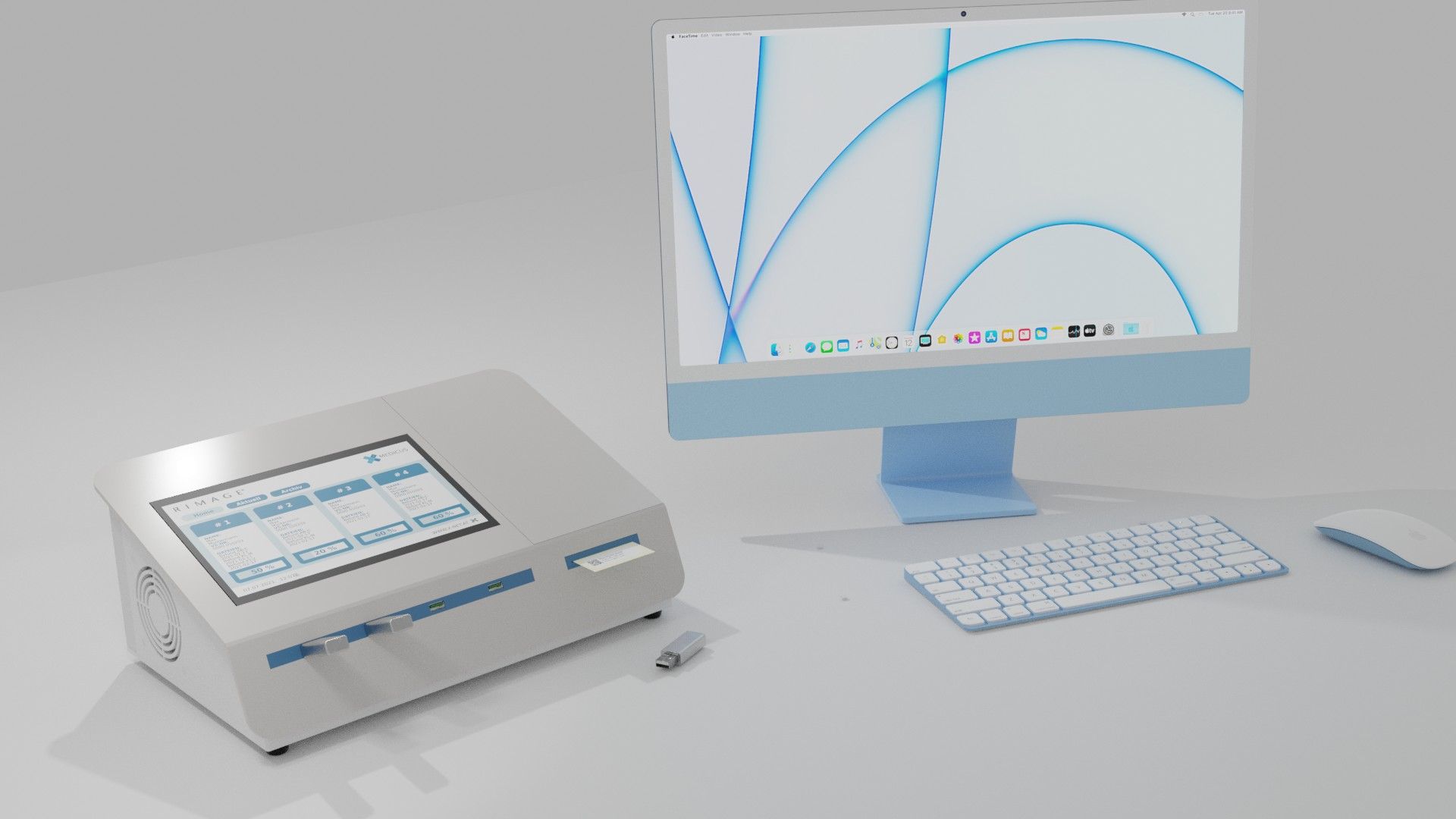
Overview
The RX400 Med is a data carrier copying device for overplaying patient files in dicom format on write-protected usb sticks. It is intended for commercial use in closed, dry rooms.
This short guide serves as a guide for initial start-up and for the operation of an exchange device. Details on the operation and about the device can be found in the user manual.
Operation can generally be carried out by untrained personnel. To ensure the privacy of the affected patients, we recommend preventing public access to or viewing the device.
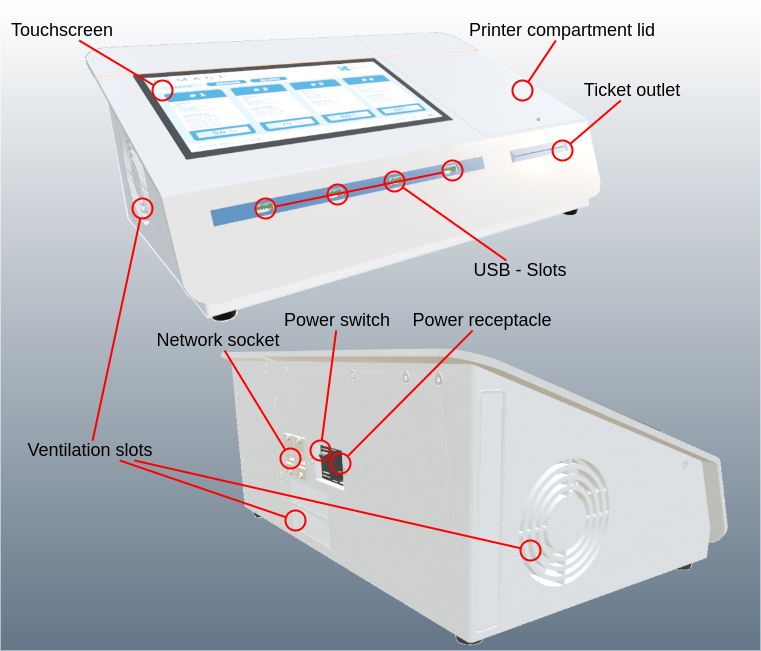
Choose a well-lit location for operation where the device is accessible from the front. The device must be set up freely to ensure ventilation. There must be an easily accessible socket that ensures unimpeded cable routing. The same applies to the optional network cabling.
Package Contents
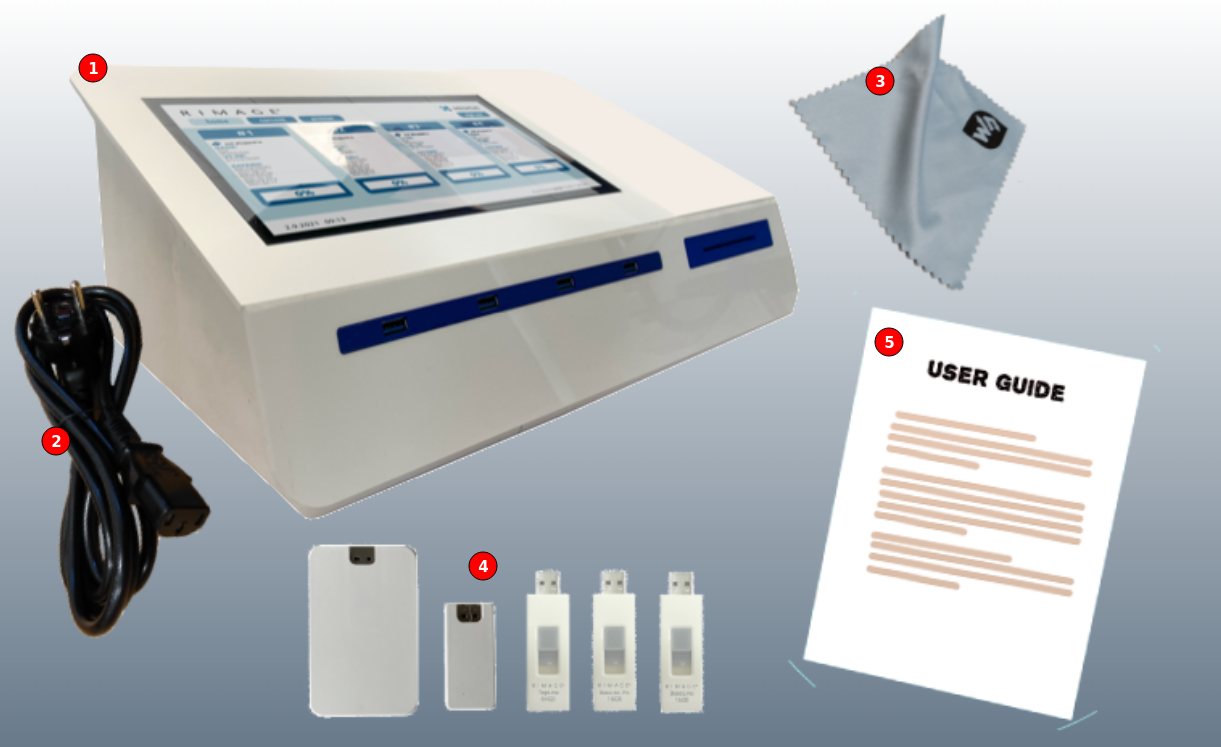
- RX400 Med Data Carrier Copysystem
- Mains cable with IEC plug
- Cleaning cloth for touchscreen
- Selection of Rimage USB sticks
- Quickstart guide
A roll of labels is inserted in the printer of the RX400 Med upon delivery.
Unpacking
If the box shows obvious traces of external use of force, file a complaint with the transport company immediately. In this case, do not operate the device!
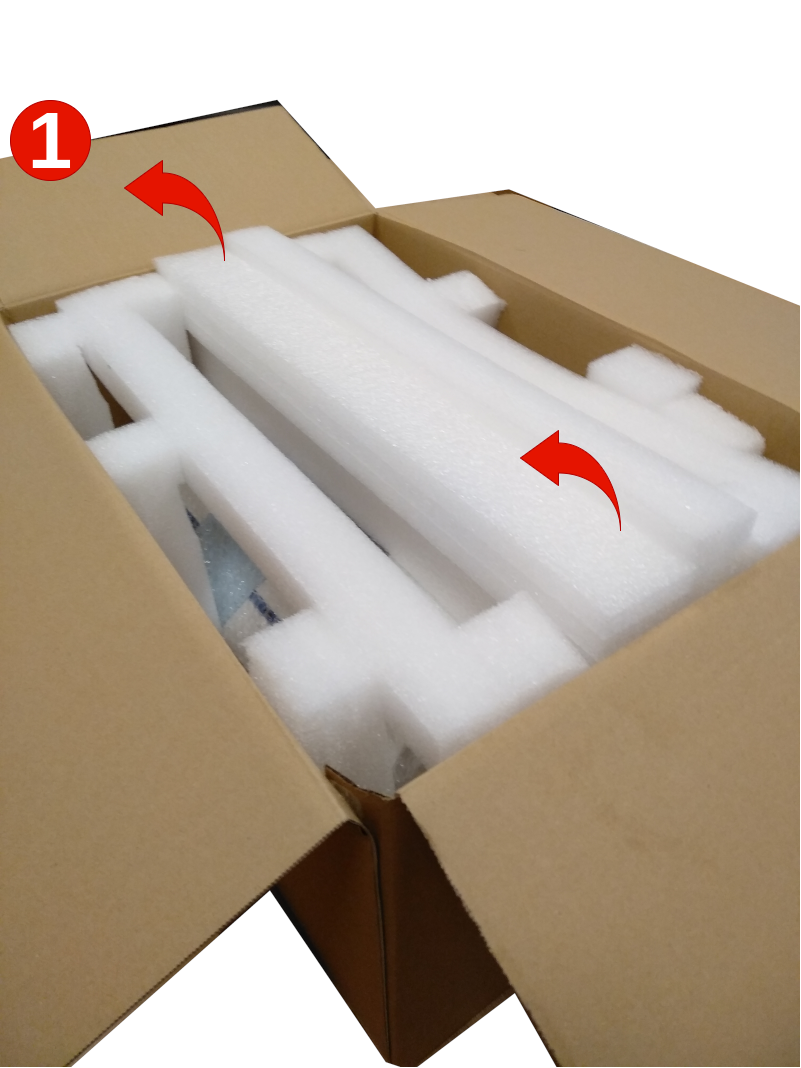
- Open the box carefully and remove the middle part of the packaging
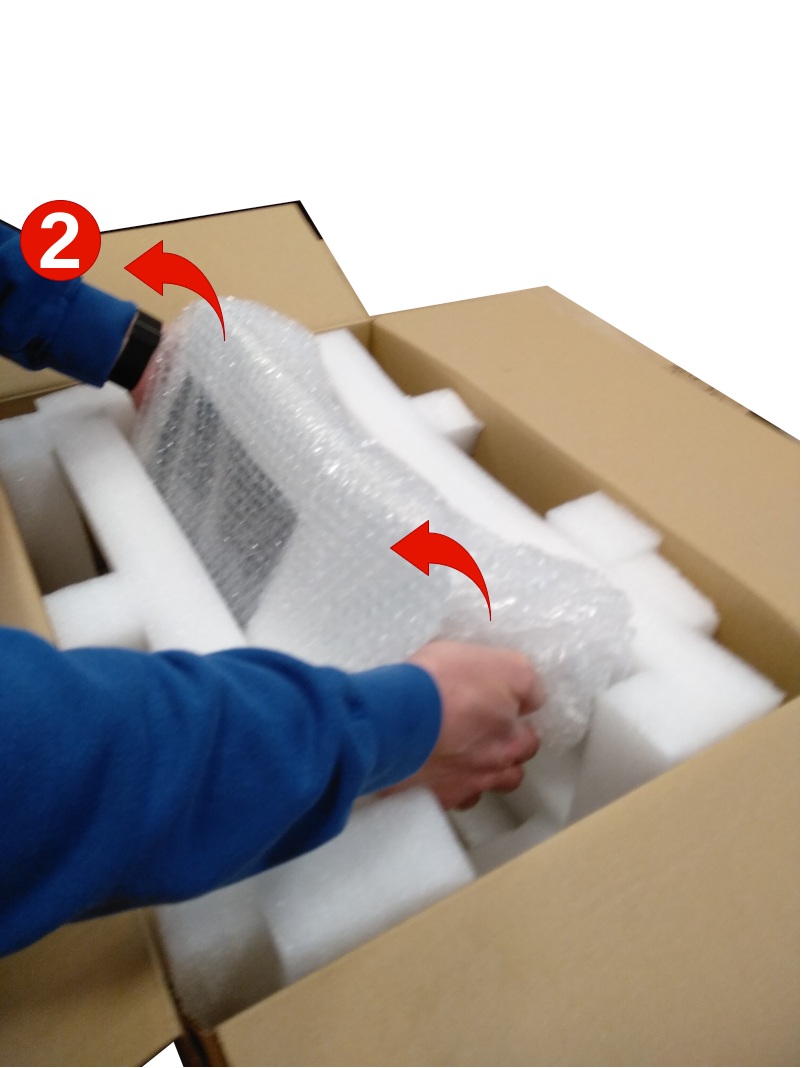
- Lift the RX400 Med out of the box, back first
- Remove the packaging film and check the device for any transport damage
Please keep the packaging carefully. It ensures optimal protection of your RX400 Med during storage, transport or return shipping.
 |
 |
Installation
If the RX400 Med is connected to a local network, lay the network cable to the intended installation location before installing the device.
- Place the RX400 Med in its assigned location
- Optional: Connect the network cable to the RX400 Med
- Make sure that the device is switched off
- Connect the RX400 Med to the power supply with the included network cable. The RX400 Med works with 100-240 V alternating voltage with 50 or 60 Hz and has a connected load of maximum 500 W.
The device must be placed on a stable, flat surface.
Make sure that the ventilation slots for the fan on the left side remain free.
Cables must be routed in such a way that they do not constitute an obstruction and do not hinder the use of the device.
Controls
Powering off the RX400 Med
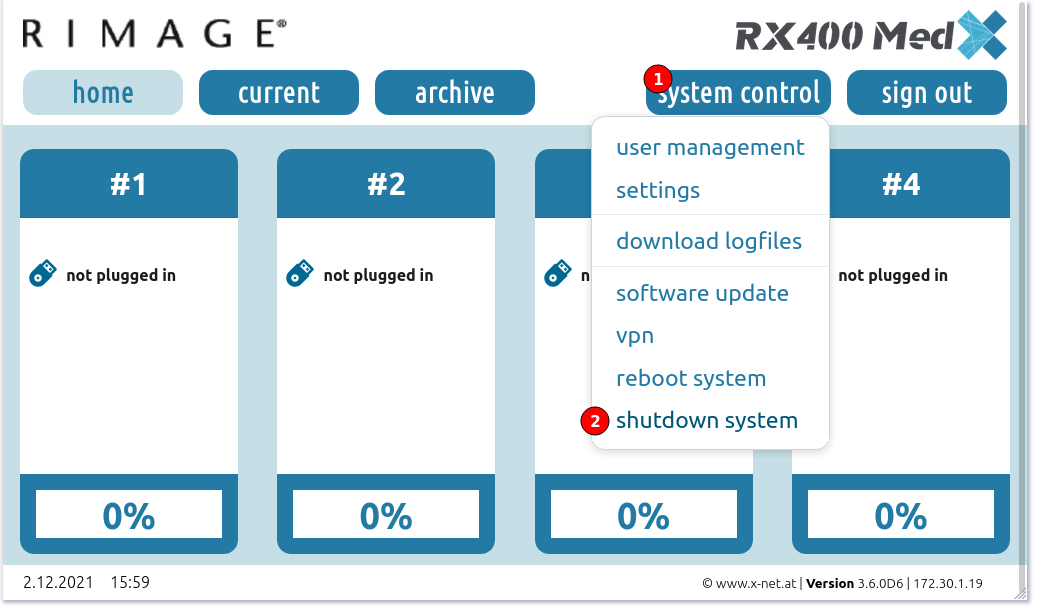
End all jobs and remove all sticks before switching off the RX400 Med.
To avoid data loss, do not switch off the RX400 Med in normal operating mode. If your power supply is unstable, use an uninterruptible power supply.
-
Perform a system shutdown as shown in the screenshot above.
-
The screen goes black and outputs some messages. Wait until the backlight of the touchscreen switches off.
-
Switch off the device at the power switch on the back of the device.
After switching off, always wait 5 seconds before switching the device on again
Support
Troubleshooting
- If the touchscreen remains dark, check:
- Whether the switch on the back of the device is on "On"⏼:
- If so, switch the device off, wait 5 seconds and only then switch the device on again.
- Whether the mains socket is live (e.g. connect a desk lamp)
- Whether the power cord is in good condition and correctly plugged in on both sides (if necessary, test it on another device)
- Whether the backlighting of the touchscreen is active (darkening the room):
- If so, switch the device off, wait 5 seconds and only then switch the device on again.
- Whether the device's fuse is OK.
- Whether the switch on the back of the device is on "On"⏼:
Contact your sales partner if you cannot fix the problem yourself.
Under no circumstances should you open the RX400 Med to carry out repairs yourself. As a result, you lose the guarantee and any guarantee agreements
Technical Data
RX400 Med, Version 1.0.0
| Touch Display | 10.1", 1024x600px | More capacitiv Touch |
| USB Stick Labels | 54 x 25 mm | Width x Hight |
| Power supply | 100 - 240 V~, max. 500 W, 50/60 Hz | |
| Weight | 7,3 kg | PETG Plastic case |
| Dimensions |
15 x 36 x 21 cm 5,9 x 14,2 x 8,3 in |
Hight x Width x Depth |
| Protection class | Protection class / Protective conductor
IP 20 |
Demonstration devices with plastic housing correspond to protection class II |

Detailed technical information can be found in the user manual.
Contact
|
Rimage Europe GmbH Technical Support Wernher-von-Braun Straße 9 63303 Dreieich-Offenthal, Germany |
| Web: https://support.rimage.com |
| Tel: +49 (0)6074 852114 |
|
Email: support@rimage.de |
No Comments